How partners sign up for booking texts
Senoia Live Music texts only the bands, musicians and food truck operators who ask for booking texts by ticking an optional box. There are two places to tick it, both on this website, and both are shown below exactly as partners see them. The box is unticked by default, and ticking it is not a condition of applying, of being booked or of any purchase. There is no other way to sign up: no paper forms, no verbal sign-up, no keyword sign-up and no imported lists. Texting START only resumes texts for a partner who earlier replied STOP.
The wording of the box
"Text me booking offers and confirmations from Senoia Live Music at this number. Message frequency varies with bookings. Message and data rates may apply. Reply STOP to opt out, HELP for help. Optional, it does not affect your application."
The box links to the Privacy Policy and the SMS Terms & Conditions. When a partner ticks it, the wording and the time are stored with their record.
1. On the partner application
- Open senoialivemusic.com/partners and choose Band or performer or Food truck. (senoialivemusic.com/partners?type=band opens the band form directly.)
- Fill in the name, email and mobile number.
- At the end of the form, just above Send application, is the booking-texts box, unticked.
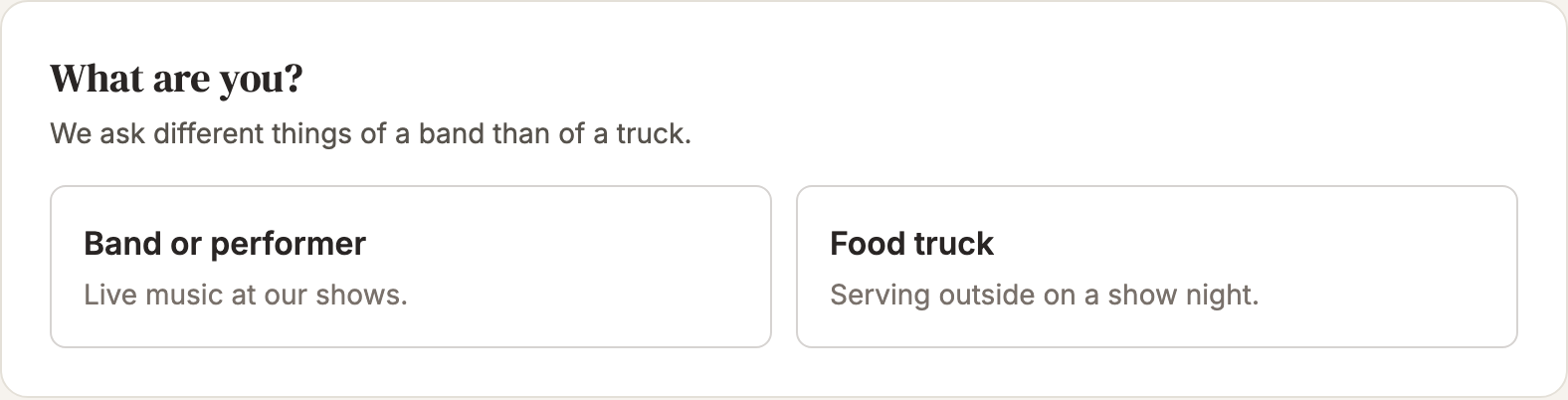

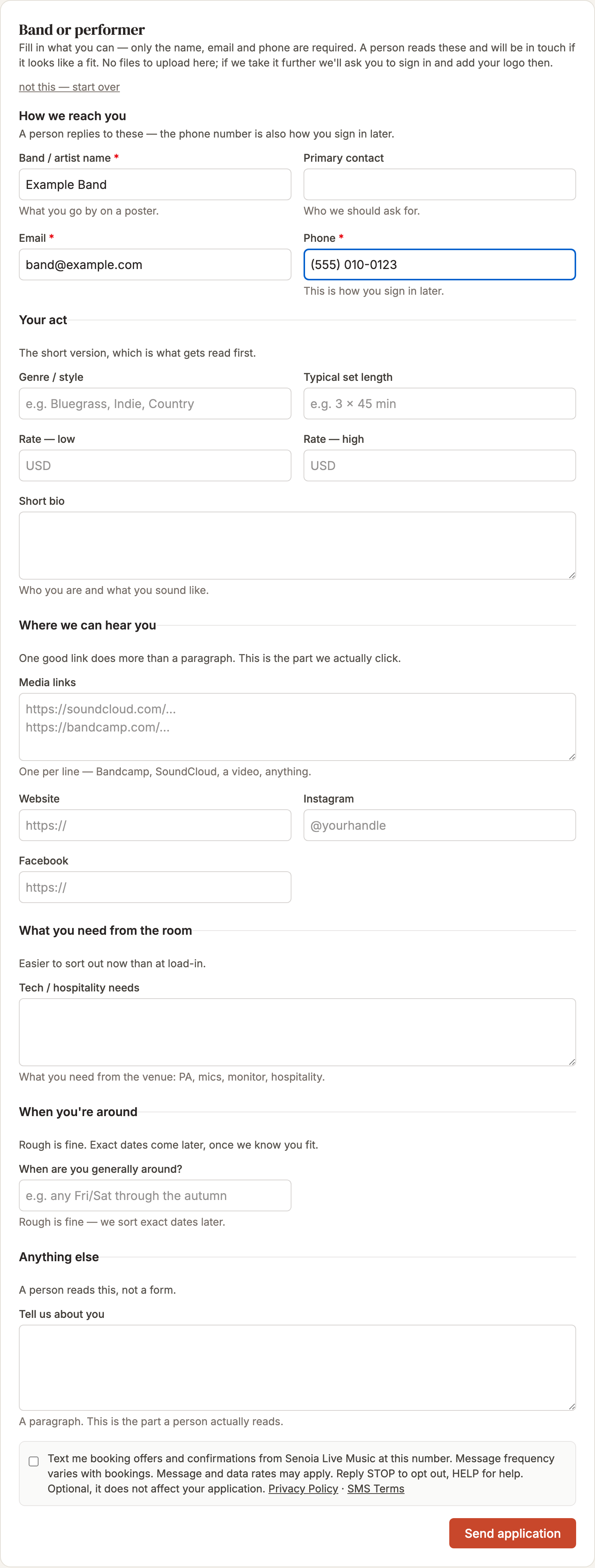
2. In the partner portal
A partner already on the roster signs in to their partner portal at senoialivemusic.com/partners. The same box, with the same wording and the number we would text, sits at the top of their page. They can tick it to start booking texts or untick it to stop them at any time.


What partners receive
Texts about the partner's own bookings with Senoia Live Music: an offer of a specific date, time and pay that they answer YES or NO, a reminder while an offer is open, a booking confirmation, and a link to their own availability page. Nothing is marketed, promoted or sold. Message frequency varies with bookings, typically two to four messages per booking. Message and data rates may apply.
Reply STOP to any message to opt out, and HELP for help, or email stageoffer@dias.cafe. Carriers are not liable for delayed or undelivered messages.
Privacy
No mobile information will be shared with third parties or affiliates for marketing or promotional purposes. Text messaging originator opt-in data and consent will not be shared with any third parties. Read the full Privacy Policy and the SMS Terms & Conditions.